
How to Integrate APIs in Mobile Apps Like a Pro (Beginner to Advanced Guide)
You have successfully created your mobile app - now what? First of all, congratulations! Making an app takes time, effort, and a lot of learning. Reaching this stage is a big achievement.
But there is one more important step before your app can fully work: connecting it to a backend.
Most mobile apps need to talk to a server. They do this to get data, send information, or connect with other services. This connection happens using something called API integration.
If you are new to APIs, don’t worry. It may sound difficult at first, but once you understand the basics, integrating an API into your mobile app becomes much easier.
That’s exactly what this guide is for - to help you understand how to connect your mobile app with an API.
What Is API Integration?
API integration means connecting two or more apps or systems so they can talk to each other and share information using APIs.
It helps apps work together smoothly and makes tasks faster, easier, and automatic.
Because of API integration, users don’t need to do things by hand or think about how everything works in the background.
Apart from Stripe API integration, many apps also use popular APIs like PayPal and Square .
In simple words, an API works like a messenger between different apps. When apps use this messenger to share data and work together, it is called API integration.
Major Components of API Integration
When two different apps or systems connect using APIs, they need a few important parts to make everything work properly.
These main components help the apps send requests, get responses, and share data safely, so everything runs smoothly without errors.
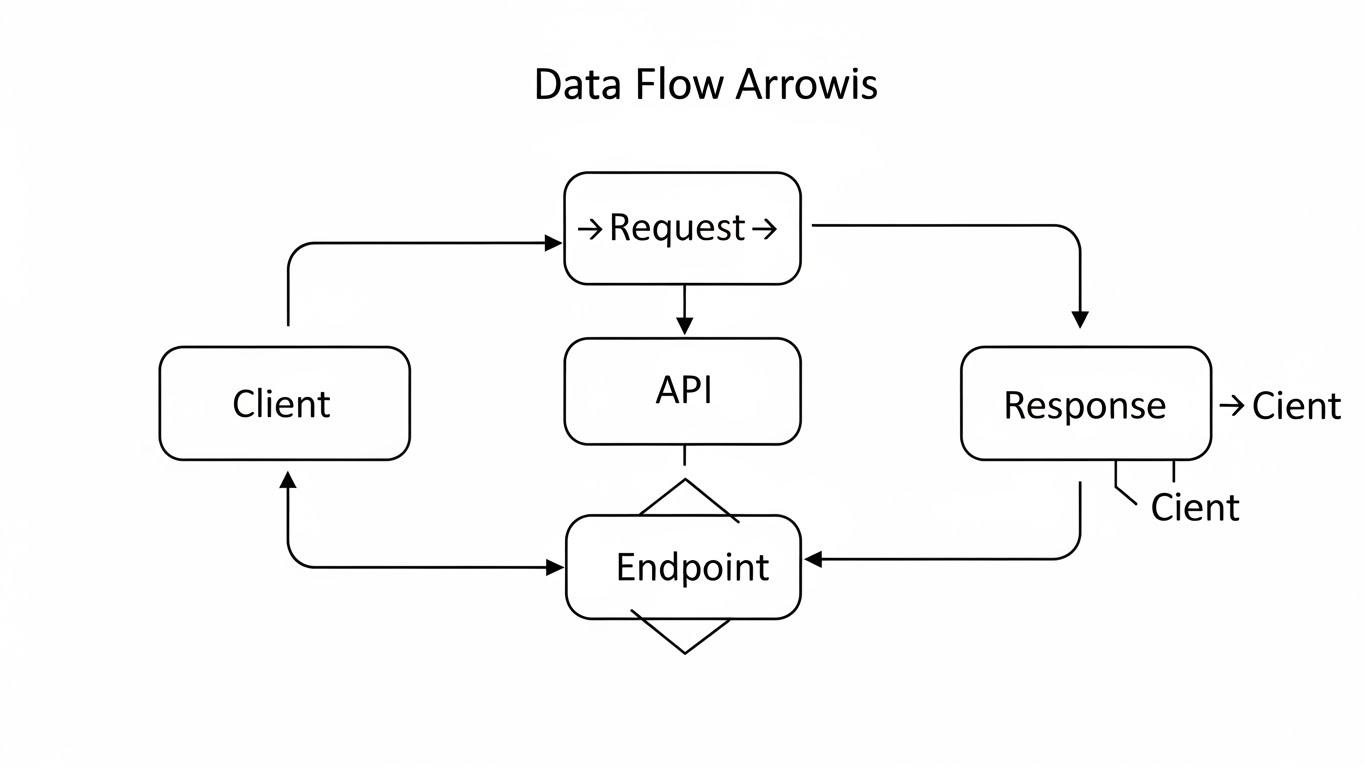
So, let’s take a look at the main parts of API integration.
API
An API (Application Programming Interface) is like a set of rules that helps two apps talk to each other.
It tells one app how to ask for information and what kind of reply it will get.
You can think of an API like a restaurant menu. The menu shows what food is available and how you can order it.
Request
A request is the message your mobile app sends when it needs something.
For example, it may ask for user details, send payment information, or check a location.
It is like telling the shopkeeper, “I want this item.” After that, you wait for the reply.
Response
A response is the reply you get back after sending a request.
It may say, “Here is the data,” “Your task is done,” or “There was an error.”
It is just like receiving your order, either you get what you asked for, or you are told there is a problem.
Client
The client is the app or system that starts the conversation by sending the request.
This can be your mobile app, a website, or any software asking for information.
It is like the person who goes to the counter and places the order.
Endpoint
An endpoint is the exact Internet address where the request is sent.
Each endpoint does one specific job, like getting user details or sending a message.
It is like going to the right counter in a big store, such as the billing counter or customer service desk.
Step-by-Step Process to Integrate an API in a Mobile App

Integrating an API into a mobile app means connecting your app with another service so they can share information.
In this section, we will explain each step in a clear and simple way, so you can easily understand how API integration works for mobile apps.
Step 1: Find the Right API
The first step is to find an API that matches your app’s needs.
For example, if your app is about movies, you can look for a live streaming API. If your app is related to finance, then you should look for fintech APIs.
You can search online by typing phrases like best live streaming APIs or weather APIs. When you find an API, visit its website. You will see a section called documentation.
Documentation is like a guidebook. It explains how the API works, what information you can request, and how you can request it.
At first, it may look confusing, but do not worry. Just focus on the basics, such as the URL to use and the data you will receive.
Step 2: Get Permission or an API Key
Most APIs require permission before you can use them.
You usually need to sign up on the API’s website. After that, you will receive something called an API key.
An API key is a secret code that tells the API, “This app is allowed to use me.”
This key is very important because it helps protect the API from misuse or too many requests.
Always keep your API key safe. Do not share it with others or place it where anyone can see it.
Step 3: Plan Where to Use the API in the App
Before writing any code, you should plan when and where your app will call the API.
For example, should the app fetch data as soon as it opens? Or only when a user clicks a button? Or when making a payment using an API like PayPal ?
When your app sends a request to the API, it waits for the response before continuing. This means the app pauses until the data comes back.
Good planning helps reduce unnecessary requests, saves mobile data, and keeps your app fast and well organized.
Step 4: Write Code to Connect to the API
Now comes the step where you connect the API to your mobile app.
Here, the app developer writes code that tells the app to send a message to the API’s web address. This message is called a request.
After that, the API sends back a response. This response usually comes in a format called JSON. You can think of JSON as a neat box of information that your app can open and read.
For example, if you are doing online payment integration, this is the step where your app sends payment details to a payment API like Stripe or PayPal and waits for a confirmation.
Most programming languages already have tools and libraries that make this work easier. You just add your API key and tell the app what data you want. The tool takes care of sending the request and getting the response.
Step 5: Handle the API Response
Once your app receives the response, it needs to understand it.
This means picking the useful information and showing it clearly to the user.
For example, if your app asks for weather details, it should show the temperature and maybe an image for sunny or cloudy weather.
If the response has too much data, you only show what really matters. This is like opening a box and choosing only the important items.
Sometimes, the API may return an error. In that case, your app should show a friendly message like “Something went wrong” so the user knows what happened.
Step 6: Test the Application
Testing means checking if your app works properly.
You should test whether the app gets data from the API and displays it correctly. Try different situations, like turning off the internet or using the wrong API key.
This helps you see how your app behaves when something goes wrong. Testing helps fix problems early so users do not face issues later.
Step 7: Improve and Secure Your API Usage
After the API is successfully connected, you should improve how it works.
For example, you can add loading messages or show a note if the API data is not available.
Security is also very important. Always keep your API key safe. Do not place it in public code or websites where anyone can see it.
If someone gets your API key, they could misuse it, and your access might get blocked. Keeping it secure helps protect your app and your users.
7 Popular Examples of API Integrations
APIs help different apps and systems work together easily. For example, they help apps accept online payments, connect with customer data, and share content on social media.
All of this happens quietly in the background through API integration, making apps work smoothly for users.
Now, let’s look at some real-life examples of mobile app API integrations.
1. Payment Gateway Integration
Payment gateway integration is one of the most common types of third-party API integration. It allows apps to accept online payments.
Because payments involve sensitive user information, security is very important.
That is why many developers use trusted platforms like PayPal , Stripe , and Square .
These platforms offer secure APIs that help apps accept payments safely while following strict security rules.
For example, if you want to add online payments using Google Pay in an Android or web app, you can do this through its API.
2. Cloud API Integration
Cloud API integration helps apps connect with cloud services to store data and run programs online.
Popular cloud platforms include Amazon Web Services , Google Cloud , and Microsoft Azure .
These APIs help businesses store files, manage data, use tools like AI, and handle their app systems smoothly.
For example, a company can save user files in the cloud and access them anytime by connecting its app to cloud storage using APIs.
3. Social Media Integration
Social media platforms like Facebook and Instagram provide APIs that allow apps to connect with them.
Developers use these APIs to share posts automatically, fetch data, or show social media activity inside an app.
Marketing teams also use these APIs to track likes, comments, shares, and followers in real time on their dashboards.
Social media APIs also allow features like logging in with a social account or sharing content directly from a mobile app, which improves the user experience.
4. ERP API Integration
Most companies use different software systems like CRM, ERP, and other tools. These systems need to share information and work together.
ERP API integration helps connect all these systems so they can exchange data easily.
This makes daily work simpler and faster for the company. For example, a CRM system can be connected to a customer support portal using APIs. This helps update customer details and support tickets automatically without manual work.
5. BNPL Integrations
BNPL integration allows apps to offer a payment option where customers can pay in smaller parts instead of paying the full amount at once.
This makes shopping easier and less stressful, especially for big purchases.
Many online stores use BNPL APIs so customers can buy what they want and pay over time. This also helps businesses attract more buyers and increase sales.
6. Fintech API Integration
Fintech API integration helps financial apps connect with banking and payment services.
Using these APIs, apps can offer features like sending money, receiving payments, checking balances, and tracking expenses in one place.
Many fintech apps also connect with eWallet APIs. This allows users to store money digitally and make quick payments without trouble. It creates a smooth and secure experience for users.
7. Geolocation Integrations
Geolocation API integration helps apps find and track locations in real time.
Apps like food delivery or ride booking apps use location APIs to show where a driver or order is right now.
For example, delivery apps like Deliveroo use mapping services such as Google Maps to display routes and live locations. This helps users know exactly where their order or ride is.
Why Choose Nimble AppGenie for API Integration in Your Mobile App?
Do you want to make your mobile app smarter and more connected? Nimble AppGenie can help you do exactly that.
Nimble AppGenie works on both API integration and API development. This means the team can connect your app with existing services or build custom APIs if your app needs something special.
Their experienced mobile app development team focuses on making everything work smoothly in the background. This helps your app run better and prevents problems for users.
Whether you are building a new app or improving an old one, Nimble AppGenie provides solutions that fit your needs and goals.
When you work with Nimble AppGenie, you get more than technical support. You get a trusted partner who cares about your app’s success.
Conclusion
Now that you understand how API integration works, you can see why it is an important part of mobile app development.
API integration helps make apps faster, smarter, and easier to use. It allows features like secure payments, live location tracking, and flexible payment options without building everything from zero.
If you are planning API integration for your mobile app, you can use popular APIs like Stripe for secure payments, Google Maps for location tracking, and Klarna for BNPL options.
By choosing the right APIs and integrating them properly, you can create a smooth and enjoyable app experience that users will truly love.
Frequently Asked Questions (FAQs)
1. Do all mobile apps need API integration?
No, not every app needs API integration. Simple apps that work offline may not need it. But most modern apps use APIs to get data, save user information, or connect with other services.
2. Is API integration safe for user data?
Yes, API integration can be very safe if done properly. Most APIs use security methods like API keys and encryption to protect user data and keep information private.
3. Can API integration slow down a mobile app?
If API integration is not planned well, it can slow down an app. But when done correctly, APIs actually help apps work faster by handling tasks efficiently in the background.
4. What happens if an API stops working?
If an API stops working, the app may not show updated data or may display an error message. That is why apps should always have error handling to inform users clearly.
5. Can one mobile app use more than one API?
Yes, a mobile app can use many APIs at the same time. For example, an app can use one API for payments, another for maps, and another for notifications.
6. Do APIs work on both Android and iOS apps?
Yes, most APIs are platform-independent. This means the same API can be used in Android apps, iOS apps, and even web apps.
7. Is API integration a one-time process?
No, API integration is not always one-time. APIs may change or get updates, so apps may need regular updates to keep everything working smoothly.