
Mobile App Development Guide: Process, Types, Best Practices | Qubitron Labs
What is Mobile App Development?
Mobile app development is the process of creating software applications that are designed to run on mobile devices such as smartphones and tablets. These applications are built to deliver fast, interactive, and user-friendly experiences while leveraging the unique capabilities of mobile hardware like cameras, GPS, sensors, and touch interfaces.
In today’s digital first world, mobile apps have become an essential part of how businesses connect with users. From ordering food and booking rides to managing finances and healthcare, mobile applications play a critical role in everyday life. For businesses, investing in mobile app development is no longer optional, it’s a strategic move to stay competitive, scalable, and customer-focused.
This guide will help you clearly understand what mobile app development is, how it works, the major types of mobile applications, and how businesses can approach building successful mobile products.
Definition of Mobile App Development
Mobile app development refers to the complete process of designing, building, testing, and deploying applications that operate on mobile devices. These apps can be developed for a single platform such as Android or iOS, or built to work across multiple platforms using shared codebases.
However, mobile application development goes far beyond just writing code. A successful mobile app requires:
- User-focused UI/UX design that feels intuitive and engaging
- Platform-specific optimization to ensure smooth performance
- Backend development and integrations for data handling and scalability
- Security and performance testing to protect user data
- Continuous updates and maintenance after launch
Depending on business goals, apps can be built as native, cross-platform, hybrid, or progressive web applications each with its own advantages and use cases.
In simple terms, mobile app development is the bridge between a digital idea and a functional, high-performing mobile experience that users can rely on.
Types of Mobile Applications
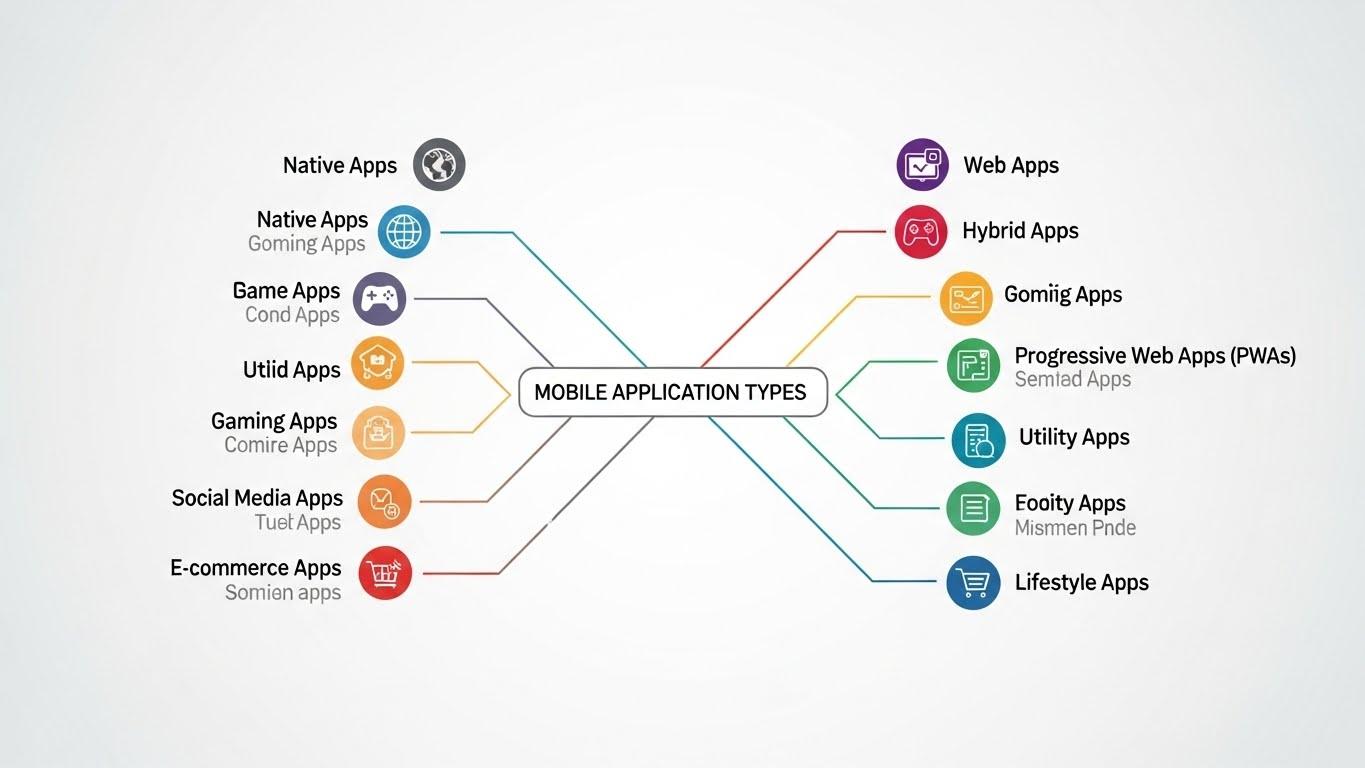
Here’s a breakdown of the four main types of mobile apps and how to choose the right one for your business.
Native Applications
Native apps are made for one specific mobile system, such as iOS or Android. These apps are built using special languages like Swift for iOS and Kotlin for Android. They are designed to work perfectly on that platform.
Why do many big companies choose native apps?
- Fast and smooth performance: Native apps run very quickly and respond fast.
- Use phone features easily: They can use the camera, GPS, microphone, and other phone tools without any problem.
- Better user experience: Buttons, animations, and screens work smoothly and feel natural.
Native apps take more time and cost more to build, but they give the best quality and performance.
Cross-Platform Applications
Cross-platform apps are made once and can run on both Android and iOS. Developers use tools like React Native and Flutter to build these apps.
This method is useful for businesses that want to build apps faster and save money.
Benefits of cross-platform apps:
- Faster launch: The app can be released on Android and iOS at the same time.
- Lower cost: No need to build two separate apps.
- Easy updates: Fixing or adding features is simpler.
Cross-platform apps are a good choice for startups and small businesses.
Progressive Web Apps (PWA)
Progressive Web Apps are web apps that work like mobile apps. They open in a browser but feel like a real app.
Why are PWAs becoming popular?
- Easy to use: No need to download from an app store.
- Works on all devices: Any phone with a browser can use it.
- Low cost: One app works everywhere.
PWAs are best for simple apps, such as blogs, booking apps, and small online stores.
Hybrid Applications
Hybrid apps are made using web technologies like HTML, CSS, and JavaScript, but they work inside a mobile app.
Why choose hybrid apps?
- Quick to build: Takes less time to develop.
- Easy updates: Changes can be made easily.
- Lower cost: One codebase for all platforms.
Hybrid apps are good for content-based and information apps. They may not be as fast as native apps, but they work well for simple uses.
Mobile App Development Process
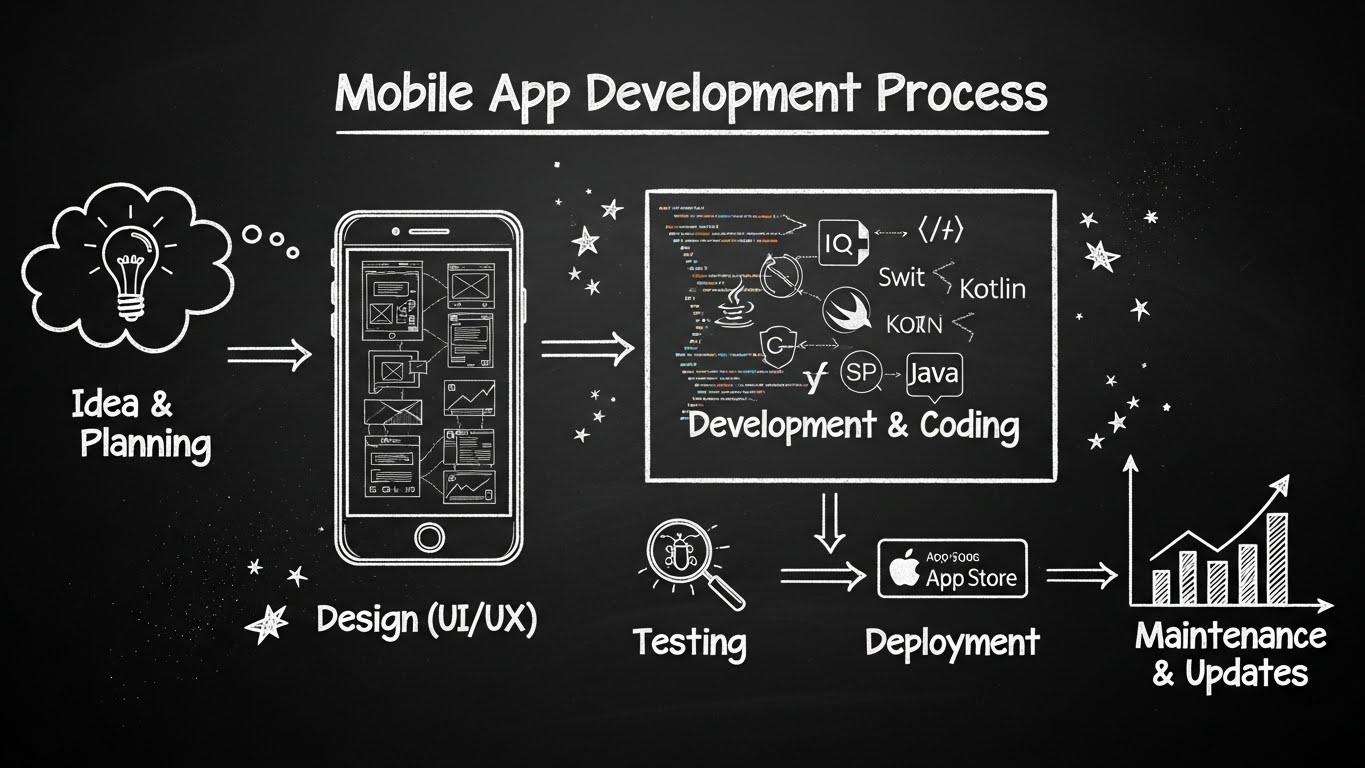
Building a mobile app is a step-by-step process that needs focus, creativity, and care at every stage. Whether you are making your first app or improving an existing one, understanding this process helps you create apps that people love and that help your business grow. Let’s break it down.
Key Stages of the Process
Making a mobile app is not just about coding. It is a step-by-step process that turns your idea into a working app that people can use. Let’s look at each stage.
1. Market Research and Needs Analysis
Before making an app, you need to understand what users need. Skipping this step is like sailing without a map — it is risky and may waste time and money.
This stage includes:
- User persona development: Who will use the app? What are their goals and problems?
- Competitor analysis: What are other apps doing? What can you do better?
- Feature validation: Which features are really needed and which are just extra?
Doing this research first makes sure you build something people really want.
2. Strategic Planning
This is where your idea becomes a clear plan.
Planning includes:
- Define your MVP (Minimum Viable Product): Start with the most important features first.
- Platform selection: Should the app be for Android, iOS, or both? This affects time, cost, and performance.
- Resource planning: Decide budget, team, tools, and timeline.
Good planning helps you save time and money while building the app.
3. Design
Design is not just about making the app look nice. It decides how people will use it.
Design activities include:
- Wireframing: Draw simple layouts of each screen.
- UI Design: Decide colors, fonts, and button styles.
- UX Prototyping: Make a simple interactive version to see how users will move through the app.
Good design makes the app easy and fun to use.
4. Development
This is where developers build the app using code.
Development includes:
- Frontend development: Make the screens and buttons work.
- Backend development: Make servers, databases, and connections work properly.
- DevOps setup: Set up automated processes and manage the app environment.
Developers usually work in small steps (called agile sprints) so changes can be made quickly.
5. Testing
Testing finds and fixes problems before users see the app.
Testing includes:
- Functional testing: Does everything work correctly?
- Usability testing: Is the app easy to use?
- Device and OS testing: Does it work on different phones and screen sizes?
- Security testing: Is the app safe for users?
Testing ensures the app is smooth, safe, and reliable.
6. Deployment
Deployment means making the app available to users.
Deployment includes:
- App Store and Google Play submission: Upload the app with images, description, and keywords.
- App Store Optimization (ASO): Make the app easy to find in the store.
- Post-launch monitoring: Watch for crashes, user feedback, and app performance.
With proper guidance, deployment ensures the app reaches users successfully without issues.
Best Practices in Mobile App Development
1. Optimizing App Performance
In mobile apps, speed is very important. If an app is slow, users will stop using it.
Performance optimization includes:
- Making the app start faster
- Loading images and content only when needed (lazy loading)
- Managing memory and battery properly
- Allowing the app to work offline or save data for later
Apps that work smoothly keep users happy, get better ratings, and are used more often.
2. Creating a Great User Experience
User experience (UX) is one of the most important parts of an app. When users find the app easy and enjoyable, they keep using it.
UX best practices include:
- Clear and simple navigation
- Designing for everyone (accessible to all users)
- Small interactions that make using the app fun
- Keeping the app design consistent across all devices
A well-designed app can make users happy and even build trust with your brand.
3. Ensuring Security and Maintenance
Keeping an app safe and up-to-date is very important.
Security and maintenance best practices include:
- Protecting sensitive data with encryption
- Regularly fixing bugs and updating the app
- Monitoring crashes and app usage
- Making sure the backend can handle more users as the app grows
Working with an experienced mobile app development team helps you keep the app safe, reliable, and future-ready.
Conclusion
Mobile app development is more than just writing code. It is about building apps that people love and businesses rely on. From native to hybrid apps, from planning to deployment, each step is important to make sure the app works well, engages users, and delivers results.
Whether you are a startup founder, a product manager, or looking to hire a mobile app company, understanding the process and types of apps will give you an advantage. Start with a clear plan and the right team, and turn your idea into a successful mobile app.